


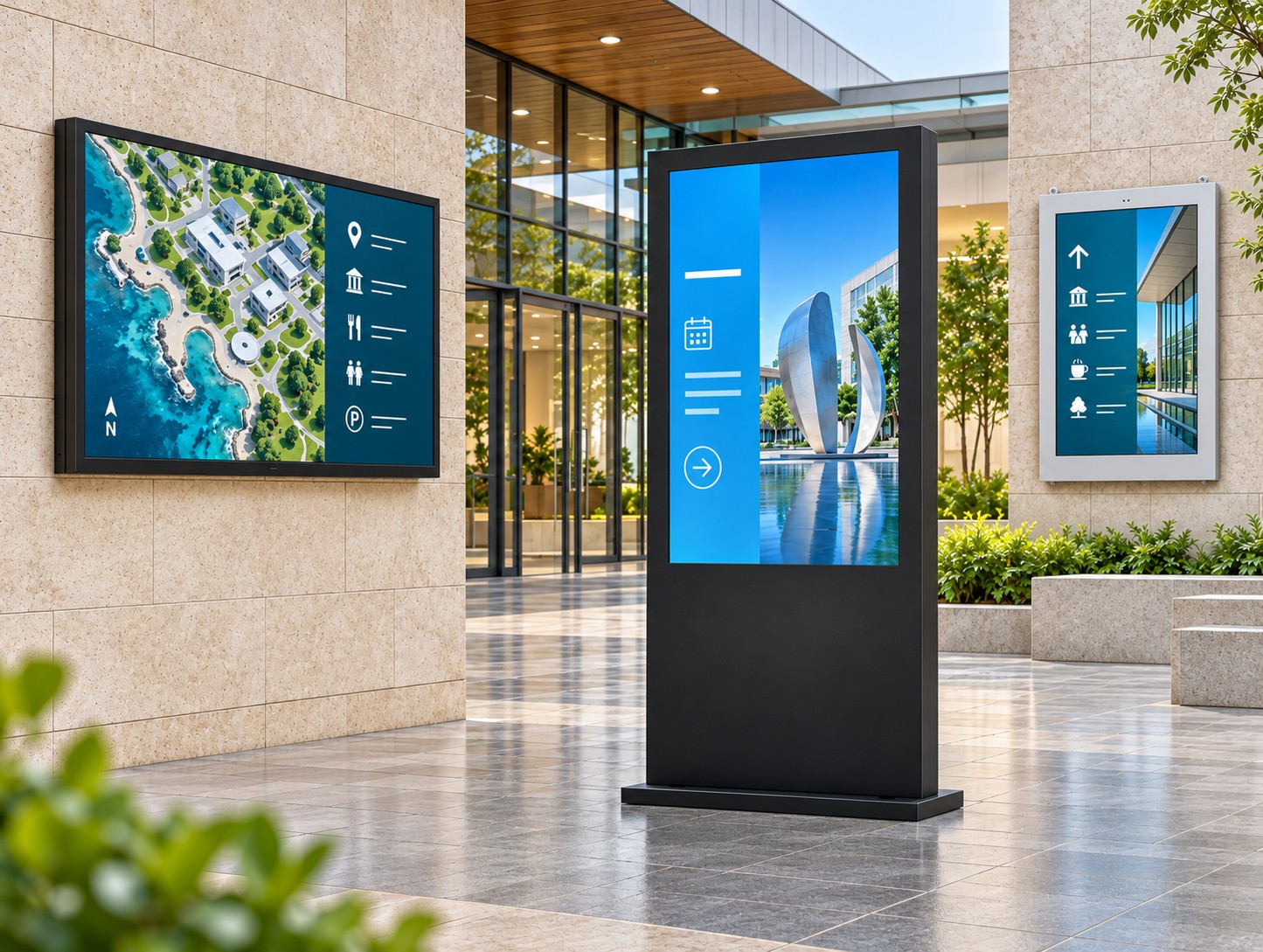
Indoor digital signage totems provide a practical solution for lobbies, mall atriums and hotel receptions where wall space is unavailable. Columns, glass fronts, leased finishes and fire-rated partitions often prevent a flush mount. A freestanding unit brings the screen, player and base together, allowing you to position information where people already pause — without cutting into cladding or waiting for changes to the building finishes.
This guide is for commercial AV integrators and facility buyers specifying floor-standing indoor displays for advertising and information. It covers when a totem beats a wall screen, how to choose a suitable size, why viewing angles and operating systems matter, and what to consider when planning a stable base and safe placement.
When Indoor Digital Signage Totems Beat Wall-Mounted Screens
Wall-mounted indoor signage is efficient when you control the substrate and the finished elevation can accommodate a display. Freestanding units earn their place when:
- Walls are unavailable or leased. Stone, glass or landlord finishes cannot take new brackets without additional approval or work.
- The decision point is in an open area. People stop at atrium edges, queue forks and reception islands, rather than against a partition.
- You may relocate later. Fit-out phases, pop-up retail and seasonal layouts benefit from a unit that can move to another suitable powered location.
- You want a defined vertical poster format. Portrait totems work like large digital posters in circulation spaces.
Indoor models should not be placed outdoors, in wet semi-outdoor plazas or anywhere that requires weather protection beyond the selected model’s rating. Specify a suitable outdoor range for those locations.
Choosing Screen Size for the Viewing Distance
Screen size depends on viewing distance and content. A 32-inch display at a quiet reception desk can be more useful than an oversized panel with a poorly planned layout.
Indoor floor-standing ranges can include sizes from 32 to 86 inches, with larger full-screen formats such as 64, 69, 75 and 86 inches, depending on the supplier and configuration. Check the selected model’s specifications rather than assuming every size shares the same features.
Match the display to how people will use it:
- Short stop, simple message: Welcome messages, promotions and QR codes can suit smaller portrait screens near a desk or entrance.
- Longer approach, denser layout: Directories and event grids may need larger panels to keep text readable from the intended distance.
- Native resolution: Confirm whether the selected panel is Full HD or 4K. A player supporting 4K playback does not necessarily mean the screen has a native 4K resolution.
Walk the route with a tape measure or laser and check text size at the actual stopping point. Test the content before installation so visitors can read the information without moving into a queue or obstructing a walkway.
IPS Viewing Angles, Content Updates and Operating Systems
Lobby and mall traffic often approaches a screen from both sides of a corridor. An IPS panel specified with a 178° viewing angle can help maintain visibility from off-centre positions. Check the actual display from likely approach angles, particularly where reflections or strong daylight may affect readability.
Content updates should fit the site’s daily workflow:
- USB updates allow staff to load prepared images, video and supported text content without relying on a network connection. This can suit individual sites and temporary campaigns.
- Wi-Fi or LAN connections can support scheduled updates across several floors or properties when paired with compatible signage software. Mobile connectivity may be available on selected configurations.
- Android or Windows options allow the player to match the integrator’s preferred content management system. Confirm software compatibility, licensing and hardware requirements before ordering.
Test full-screen and split-screen layouts on the actual panel before a multi-site roll-out. Content that looks clear on a laptop may need adjustment for a portrait display and a longer viewing distance.
For indoor freestanding advertising and information points, a digital signage totem in the 32–86 inch class is one product range to compare with other OEM floor-standing options. Confirm IPS panel specifications, Android or Windows availability, and USB or network update support for the chosen configuration. Use the published size and base drawings when marking the floor plan.
Safe Placement of Indoor Digital Signage Totems
An anti-tipping base serves a practical purpose. In malls, hotels and lobbies, people brush past tall enclosures with bags, luggage and cleaning carts. Specify a stable installation, follow the manufacturer’s fixing requirements and keep power cords away from pedestrian routes.
In reception areas, coordinate screen placement with your wider visitor management arrangements so guests can read directions without obstructing check-in or access routes.
Use the following placement checklist:
- Mark the full base footprint. Use the model drawing, as enclosure depth alone may understate the required floor space.
- Keep escape routes and fire signage clear. Digital totems can support visitor wayfinding, but they do not replace statutory exit signs.
- Confirm a suitable power supply. Plan a short, protected cable run. Treat the selected unit as mains-powered equipment unless its specifications explicitly state otherwise.
- Allow service access. Staff need room to access the player, connect USB media and clean the screen without blocking the corridor.
- Assign content ownership. Agree whether reception, marketing or facilities management will maintain the display after handover.
If the brief changes to an outdoor location, review the specification and select hardware designed for that environment.
A Practical Integrator Checklist
Before approving indoor digital signage totems for a project:
- Confirm that each installation position is suitable for the selected indoor model.
- Choose screen size using viewing distance and content density.
- Check visibility from the actual approach angles and under site lighting.
- Match the operating system and player to your supported CMS.
- Confirm the base, anchoring requirements and floor conditions.
- Maintain pedestrian clearance and protect all power cables.
- Record who updates the content and who services the equipment in the operation and maintenance documentation.
Final Specification and Handover
Indoor digital signage totems are useful where walls are unavailable and visitors need information at a clear stopping point in an open space. A successful installation combines readable content, suitable screen dimensions, compatible software and safe placement.
For commercial floor-standing indoor hardware, YJCEN provides product information that project teams can use when requesting a quotation. Ask for the current dimensions, base drawings, operating system options and installation requirements for the exact model.
Send location photos, preferred screen size, touch or non-touch requirements and quantity with your enquiry. Clear project details help suppliers assess suitability before equipment arrives and finishes are complete.

